
Android phones have become an inseparable part of every individual’s life. People use these phones for entertainment, studies, work, socializing, etc. One of the biggest benefits of Android is that it provides users with all the necessary tools to make their life easier. To enjoy the full range of benefits that Android offers, it is essential to learn a few Android mobile tips.
There are several Android tips and tricks that all users should know about. However, some of these require the users to have a certain level of Android knowledge. In addition, most of the described below Android mobile tips and tricks can be found in the Settings app. Thus, it is possible to customize the device and make some adjustments to enjoy using the phone more.
1. How to Update Your Android Phone
First and foremost, to keep the phone working properly, it is essential to update it regularly. Software updates contain all the necessary security patches and improvements that make the phone run smoothly and faster.
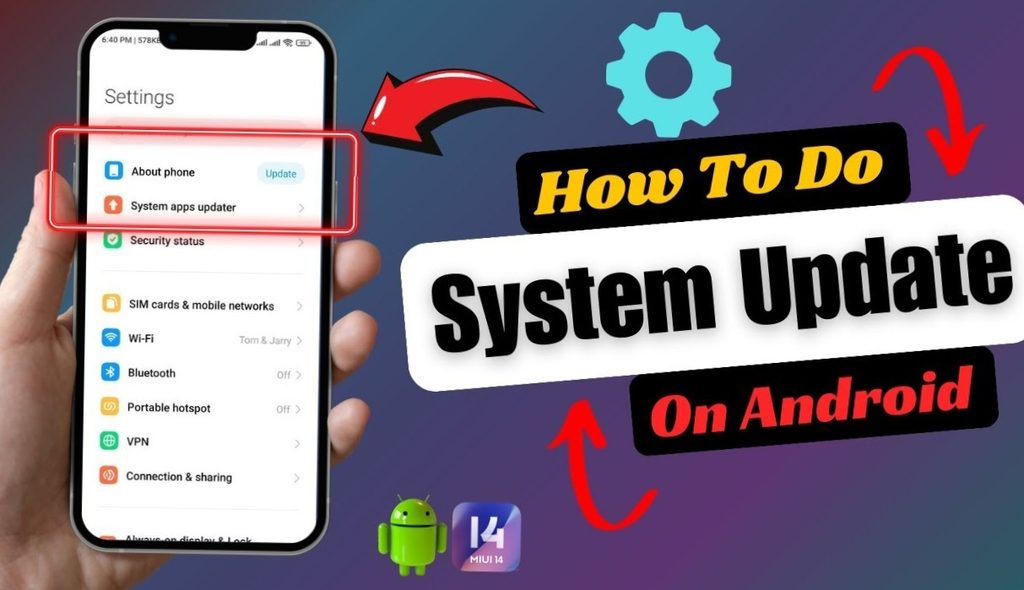
To update your Android phone, go to Settings → Software Update or Settings → System Update (the exact path depends on the Android version). In addition, users should also update their apps on a regular basis. Apps also get updated to provide users with new features and improvements. Moreover, some of these updates contain the required security patches. To update apps, go to Google Play Store → Menu icon → My Apps & Games → Updates. Users can also update apps directly from the Home screen by long-pressing the app and tapping the Update button.
2. Use Adaptive Brightness
Adaptive Brightness is among the most useful Android tips and tricks that change the screen brightness automatically based on the surrounding light. This makes watching videos and reading texts much easier, especially when being outdoors.
To do that, go to Settings → Display → Adaptive Brightness. The adaptive mode makes the screen easier to read in the dark and reduces eye strain. In addition, it also extends the battery life as the phone does not have to struggle to make the screen brighter in dark conditions. Thus, anyone who spends most of their time outdoors should definitely consider using this trick. What is more, in case someone spends long hours in dark rooms, this trick will also come in handy.
3. Enable Dark Mode
Dark mode is definitely one of the easiest ways to customize the Android phone. It makes the phone screen look better while also saving the battery. When enabled, the dark mode makes the background of the apps darker, which ultimately reduces eye strain, especially at night.
It can be enabled from Settings → Display → Dark Theme. In addition, some Android versions offer users the ability to set the dark mode to be on automatically during a specific time period. For instance, dark mode can be turned on from 10 p.m. to 7 a.m. Thus, it would be enabled every night at 10 p.m. and turned off at 7 a.m. The dark mode is very useful for people who spend long hours working at night.
4. Use Battery Saver
The battery is among the most important components of any smartphone. However, it is the one that usually drains the fastest, especially in case of heavy phone usage. To address this issue, Android has a special Battery Saver that users can use when their battery percentage is low.
Battery Saver can be turned on from Settings → Battery → Battery Saver or from the Quick Settings panel. Basically, it limits all the unnecessary background activity and processes that ultimately drain the battery. Hence, when the Battery Saver is on, the phone will not engage in any energy-draining activities. This will ensure that the phone’s battery will not deplete faster in case of emergency when the user is not able to charge their phone.
5. Remove Unnecessary Apps
Over time, users tend to accumulate a lot of apps that they hardly ever use. In case there are too many such apps on the phone, it is better to uninstall them to free up the storage space.
Go through all the apps that are installed on your phone and uninstall those that you never use or that you can do without. To uninstall apps, simply long-press the app icon and then select Uninstall. This little Android mobile trick will help you keep your phone organized and free up some much-needed storage space.
6. Manage Permissions
Some apps can ask for permission to access specific phone features such as contacts, camera, gallery, location, etc. Although some of these permissions are essential for the proper functioning of the app, others may not be required at all.
Navigate to Settings → Privacy → Permission Manager and deselect all the permissions that the apps that you do not want them to have. Thus, managing permissions will give you more privacy as you will only allow the apps that you trust to collect personal information. In addition, it will also help prevent apps from misusing the information that they collect.
Final Thoughts
Android phones are amazing smartphones that have numerous functions to enhance the user experience. Some of the most important Android mobile tips and tricks include enabling adaptive brightness, dark mode, and managing permissions, along with turning on the battery saver when the phone battery is low. All these functions are very easy to enable and come in handy when needed. Hence, anyone can use these Android phone hacks right now to get more out of their smartphones.